





MacBook Neo Review : The Best Budget MacBook for Students and Everyday Users
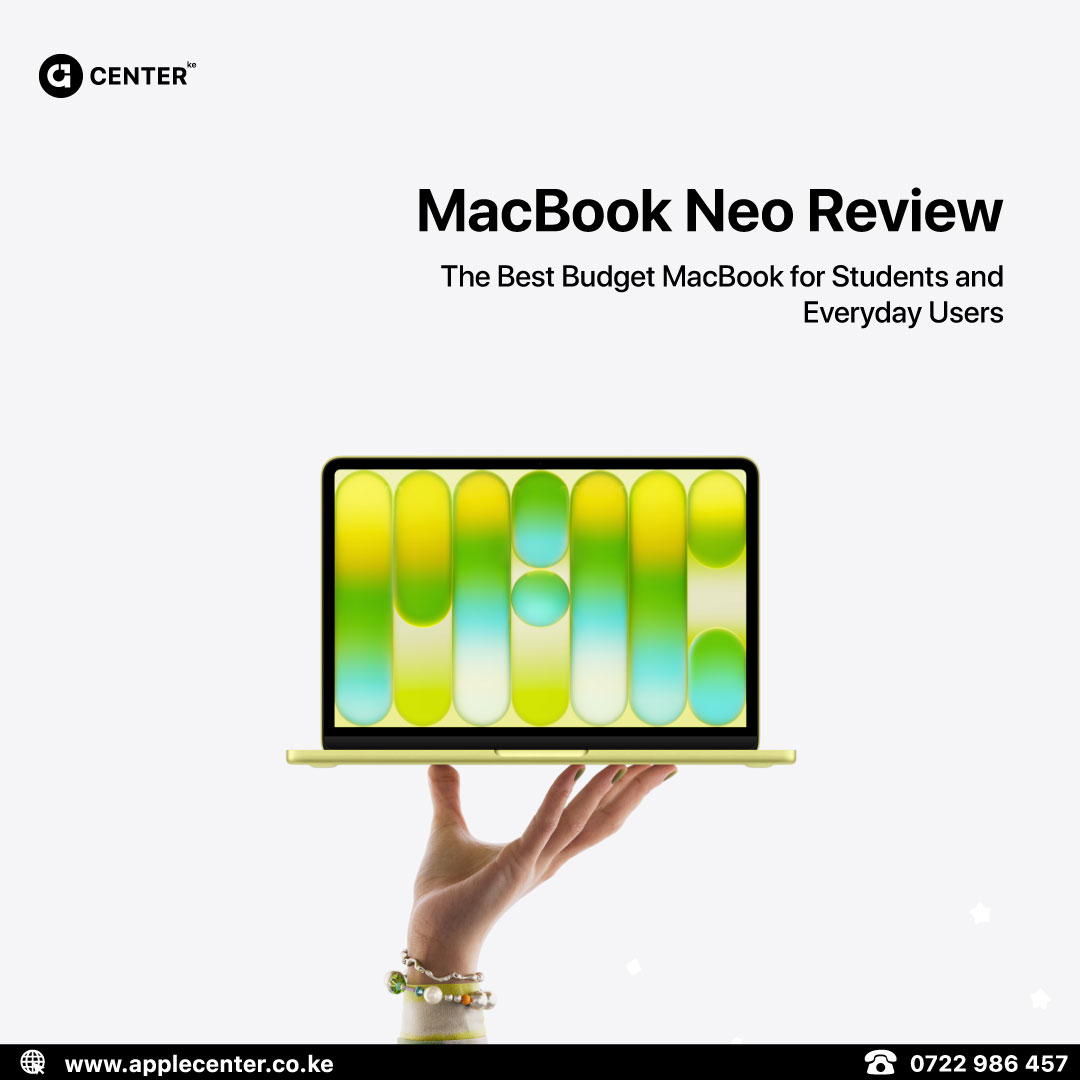
If you’ve been searching for a budget MacBook in Kenya that still feels like a proper Apple laptop, the MacBook Neo is one of the most interesting options right now.
It’s designed for normal daily use. Think assignments, research, browsing, emails, video calls, streaming, and light creative work. In other words, the things most people actually do on a laptop.
For students, families, and first-time Mac users, the MacBook Neo delivers the Apple experience without pushing you into MacBook Pro territory.
Verdict

The MacBook Neo is what we’d call the “everyday Mac.”
It handles schoolwork, browsing, and productivity comfortably, while still giving you the premium Apple build and macOS ecosystem people expect.
Just don’t expect workstation-level performance or lots of ports. That’s not what this machine is built for.
MacBook Neo Quick Specs
Here are the key specs most buyers care about.
Display
-
13-inch Liquid Retina
-
2408 × 1506 resolution
-
500 nits brightness
-
1 billion colors
-
sRGB color support
Processor
-
A18 Pro chip
-
6-core CPU
-
5-core GPU
-
16-core Neural Engine
Memory
-
8GB unified memory
Storage
-
256GB or 512GB SSD
Ports
-
1× USB-C (USB 3 up to 10Gb/s + DisplayPort)
-
1× USB-C (USB 2)
-
Headphone jack
External Display
-
Supports one monitor up to 4K at 60Hz
Battery
-
Up to 16 hours video playback
-
Up to 11 hours web use
Colors
-
Silver
-
Blush
-
Citrus
-
Indigo
Who Should Buy the MacBook Neo in Kenya

The MacBook Neo makes the most sense for people who want a simple, reliable MacBook for everyday use.
It’s especially good for:
Students
Perfect for writing assignments, research, Google Docs, Microsoft Office, and online classes. It’s also light enough to carry between lectures or study sessions.
Everyday users
If your laptop life revolves around Safari or Chrome, email, admin tasks, and streaming YouTube or Netflix, the Neo handles all of that easily.
First-time Mac buyers
Many people want to try macOS and join the Apple ecosystem without spending MacBook Pro money. Neo is a friendly entry point.
Quiet work environments
Because the MacBook Neo is fanless, it runs silently. That makes it great for libraries, lecture halls, or shared workspaces.
Who Should Skip the MacBook Neo

While the Neo is great for everyday work, it’s not meant for heavy professional workloads.
You may want a MacBook Air or MacBook Pro instead if you:
-
Edit 4K video daily
-
Work in 3D design or heavy creative software
-
Keep dozens of apps and browser tabs open all day
-
Need multiple external monitors
-
Rely on lots of accessories and ports
The 8GB memory ceiling and limited ports are the main constraints.
What the MacBook Neo Gets Right

Even though it’s positioned as a budget MacBook, there are several things Apple nailed with this device.
Premium build quality
Like most Apple laptops, the Neo feels solid. The aluminum chassis gives it the same sturdy feel people expect from a MacBook.
A great display for everyday work
The Liquid Retina display is bright, sharp, and comfortable for long study or work sessions. For browsing, writing, and watching content, it looks excellent.
Fast enough for daily tasks
The A18 Pro chip handles normal productivity tasks smoothly. Apps launch quickly, multitasking feels responsive, and macOS runs fluidly.
All-day battery life
For students and office users, battery life matters more than raw power. The Neo easily lasts through a full class day or workday without needing a charger
The Trade-Offs You Should Know
No laptop at this price point is perfect, and the MacBook Neo has a few compromises.
The USB-C ports are not identical
One port supports USB 3 speeds up to 10Gb/s, while the other runs at USB 2 speeds. It works fine for charging and accessories, but it’s something to be aware of.
No P3 wide color
The display uses sRGB instead of P3 wide color. That means it’s not aimed at professional photographers or color-critical creative work.
Performance is not “Pro level”
The Neo is fast for everyday tasks, but it’s not designed for heavy video editing, 3D rendering, or large development workloads.
Only one external monitor
If you rely on multi-monitor setups, this is a limitation.
Apple Center Ke Recommendation

If your goal is simple, the MacBook Neo is a very solid choice.
It’s a great laptop for school, everyday productivity, and casual media use. You still get macOS, excellent battery life, and Apple’s build quality in a more accessible package.
To make the most of it, we recommend pairing it with:
-
A USB-C hub, since ports are limited
-
External storage if you work with lots of photos or videos
-
A protective sleeve, especially for students carrying it daily
Looking to Buy the MacBook Neo in Nairobi?
If you’re comparing MacBook Neo vs MacBook Air vs MacBook Pro, the best choice depends on how you use your laptop.
Students, office workers, and casual users often find the Neo more than enough. Creatives and heavy multitaskers may want the extra power of the Air or Pro models.
If you’re not sure which one fits your needs, tell us what you usually do on your laptop and we’ll help you choose the right Mac.
Shop or enquire via Apple Center Kenya:
https://applecenter.co.ke/buy/